How do I use the Organizer?
The Organizer brings together your Banktivity User Account (formerly called a Banktivity ID), your local and cloud-synced Ledgers—all in one unified place..
To jump to the section about using the Organizer on your iPhone or iPad Click Here, otherwise you can continue on from here for the MacOS organizer.
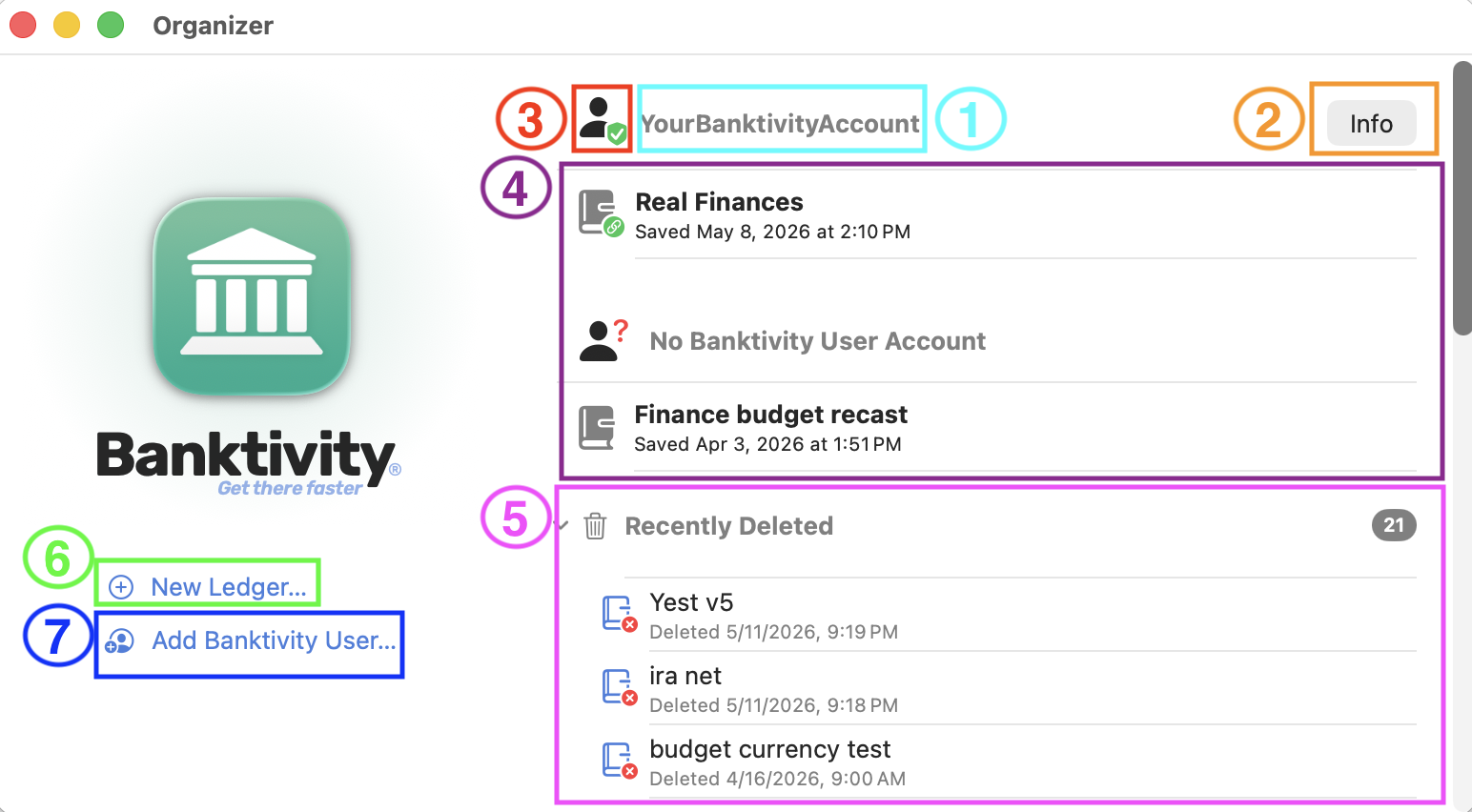
Understanding the Organizer
- Your Banktivity Account login name.
- Info: Selecting this option will bring up your subscription information.
- The profile icon: Clicking on this icon will open your Banktivity User Account Profile. This window will allow you to change things such as your Login ID, Email address, how your name appears, your challenge question and answer as well as your password.
- This section will show you the local and cloud ledgers associated with your Banktivity Account. If you have more than one Banktivity account in your organizer you will see distinct sections of ledgers associated with each account.
- The recently deleted section of the organizer is collapsed by default though once it is expanded it will show you ledgers that were deleted locally within the last 30 days. Right-click on a ledger that has been deleted and you can choose to Restore it to your Organizer.
- New Ledger: This is where you will click if you want to set up a new Ledger
- Add Banktivity User: You will want to click on this option only if you are trying to add an additional Banktivity User Account to your Organizer. If you want to update your existing Banktivity User Account please click on the profile icon indicated in the screenshot above with the red number 3.
Using the Organizer on iOS
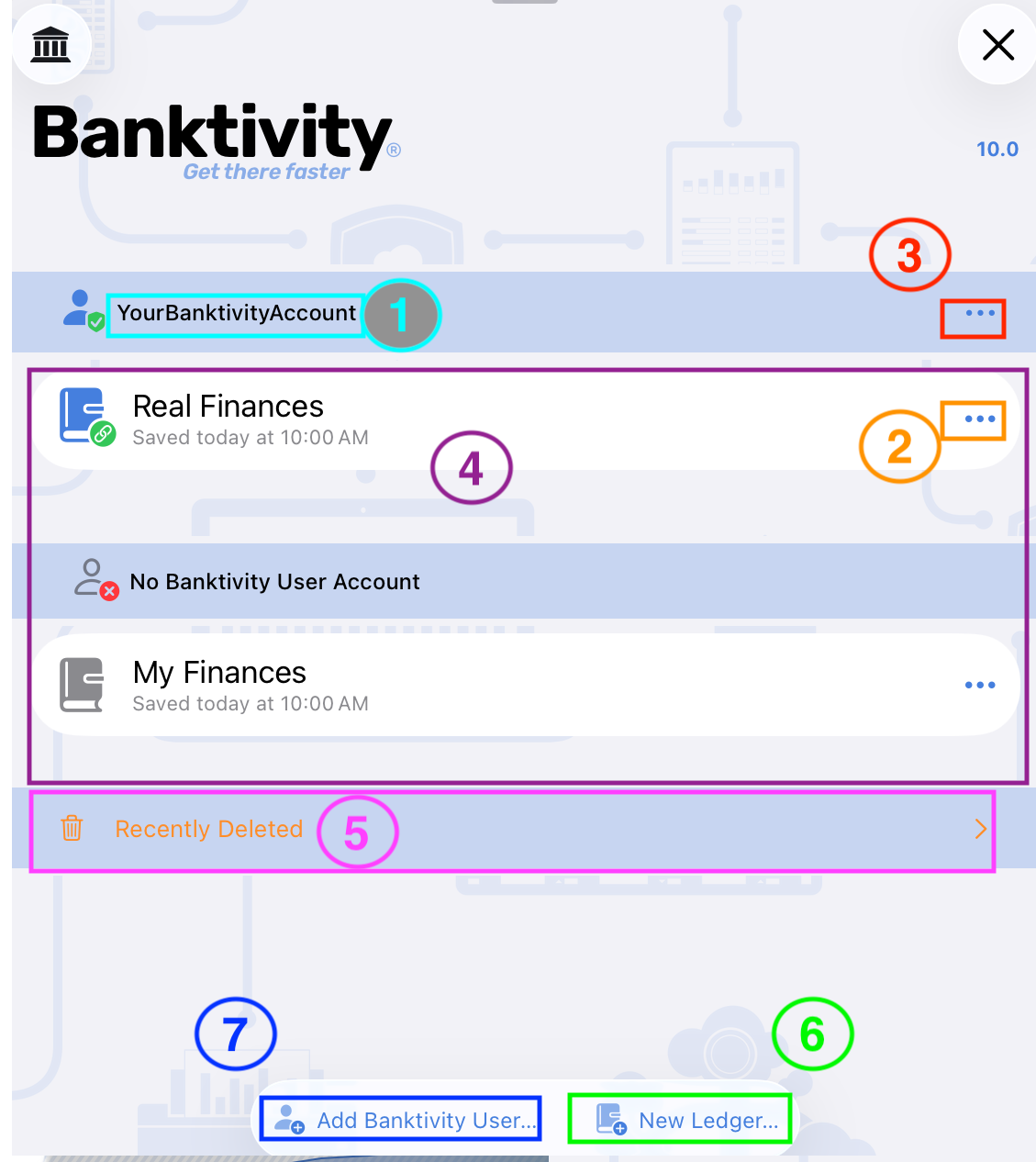
Understanding the Organizer on iOS
- Your Banktivity Account login name.
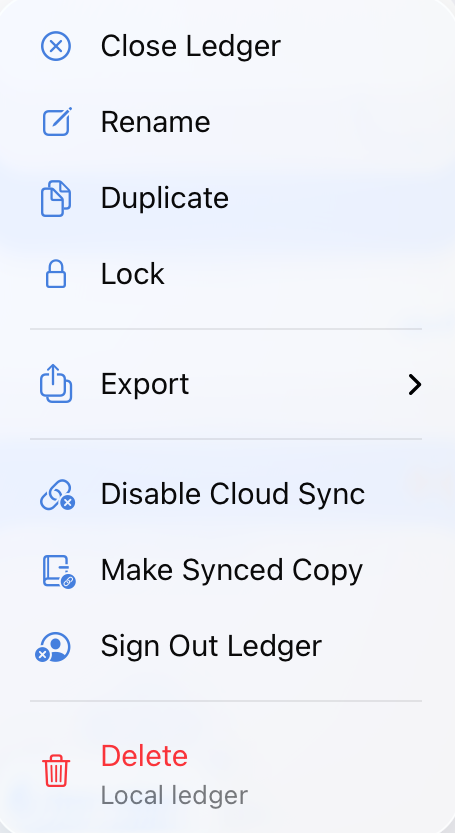
- Ledger Options: Tapping on these three dots will show you the options available for the specific ledger.
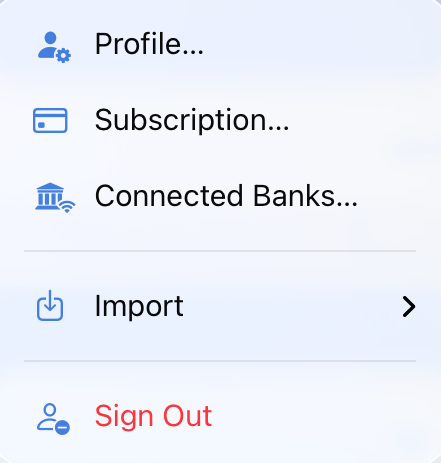
- Banktivity Account Options: Tappng on these three dots will give you options specific to this Banktivity User Account.
- This section will show you the local and cloud ledgers associated with your Banktivity Account. If you have more than one Banktivity account in your organizer you will see distinct sections of ledgers associated with each account.
- The recently deleted section of the organizer is collapsed by default though once it is expanded it will show you ledgers that were deleted locally within the last 30 days. Tap on the ledger options for a deleted ledger in order to see the option to Recover that ledger.
- New Ledger: This is where you will tap if you want to set up a new Ledger
- Add Banktivity User: You will want to tap on this option only if you are trying to add an additional Banktivity User Account to your Organizer.